Code Tutor & AI Search Summaries
Product Manager 2 · Google · 2025
Two ways to turn documentation from something developers read into something that helps them get unstuck. Both shipped only after clearing a real quality bar.
The Question
What is still missing when the documentation already exists?
Context
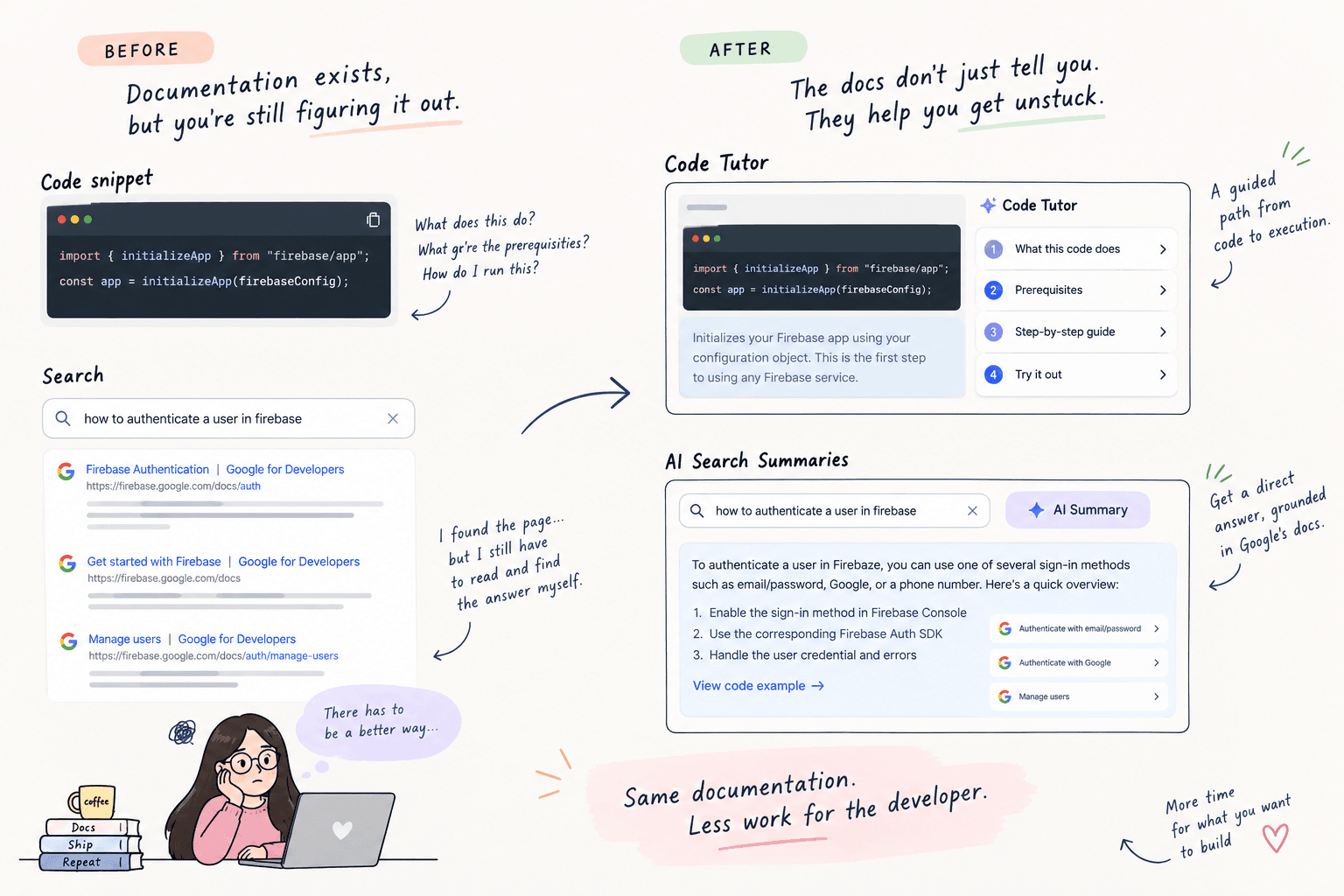
A code snippet can show what to write. A search result can show where to look. Neither necessarily helps a developer understand what to do next. As DevSite moved toward an AI-first experience, we saw two different gaps: code snippets often left developers to piece together the logic, prerequisites, and execution themselves, and search could find the right page but still left developers to extract the answer from it. The content existed. The experience was still doing too little of the work.
The Constraint
AI could make the experience better, or confidently make it worse. A generated explanation that misses a prerequisite is worse than no explanation. A search summary that sounds right but isn't grounded in the docs erodes trust. So the product problem wasn't just "Can we generate this?" It was "Can we make it useful enough to trust?"
My Hypothesis
Developers didn't need more ways to find documentation. They needed the documentation to do more work for them. That meant moving from finding the right page toward helping them understand and act on what they found.
What I Tried
Two experiences, two different problems. Code Tutor turned a static code snippet into a guided path through its logic, prerequisites, and execution. AI Search Summaries turned retrieved documentation into a direct answer, using vector search and a knowledge graph to ground the response.
The Decision
Don't ship AI because the demo looks good. Make quality a product requirement. Before Search Summaries could move out of preview, I committed to a side-by-side evaluation framework to measure answer quality rather than relying on subjective judgment. For Code Tutor, I made a different call: replace the default snippet experience rather than add another assistant beside it. If we believed the guided experience was better, it should be the experience developers encountered, not another option buried beside the old one.
The Build
Code Tutor: a step-by-step experience that helps developers understand the logic, prerequisites, and execution behind a code example. AI Search Summaries: a retrieval-grounded answer experience that surfaces the relevant information directly instead of sending developers through another page.
The Evidence
Code Tutor reached 21k+ daily interactions with 91% positive sentiment. AI Search Summaries reached 8.8k daily impressions. The underlying retrieval system saw a 35% drop in hallucinations and a 40% gain in semantic accuracy.
What Changed
The docs stopped being just a place to look something up. Code Tutor helped developers work through an example instead of decoding it themselves. Search Summaries let them get an answer without first navigating through a page. The shift was subtle: from documentation developers had to work through, to documentation that could do some of the work with them.
What I Learned
If you change the default experience, your quality bar has to rise with it. A parallel feature can fail quietly: people can simply ignore it. A replacement can't. Once Code Tutor became the default experience, quality stopped being a launch consideration and became part of the product itself.